Opening or upgrading a supermarket involves more than purchasing individual devices. The POS terminal, barcode scanner, receipt printer, cash drawer, weighing scale, customer display, and network must work together as one reliable checkout system.
This guide explains how retailers, distributors, and system integrators can evaluate supermarket equipment before requesting samples or placing a bulk order. The goal is to reduce compatibility problems, improve checkout efficiency, and avoid costly changes after installation.
Start with the customer journey and staff workflow. A small convenience store, a high-volume supermarket, a fresh-food counter, and a self-service checkout area have different equipment requirements.
Document the following before comparing models:
A clear workflow specification helps suppliers recommend compatible equipment instead of treating each device as an isolated purchase.
The POS terminal runs the checkout application and connects the main peripherals. Confirm processor performance, memory, storage, operating system, touch-screen size, port selection, mounting options, and maintenance access. For long operating hours, stable thermal design is more important than choosing specifications that look impressive on paper.
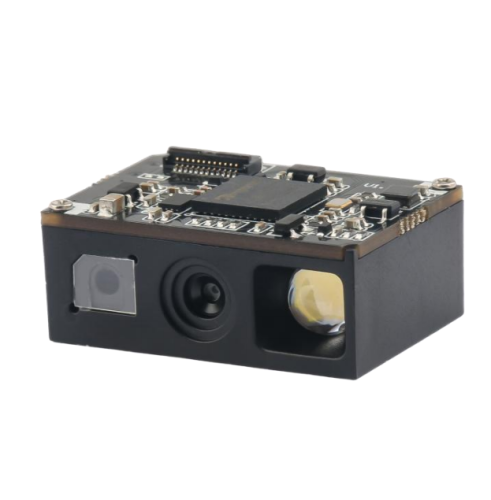
Choose a scanner according to the barcodes and scanning method used in the store. A handheld scanner offers flexibility for large or difficult items, while a desktop presentation scanner supports faster hands-free checkout. A 2D imager is normally preferred when the system must read QR codes, mobile-screen codes, coupons, or both 1D and 2D symbols.
Test real packaging, reflective labels, curved surfaces, damaged codes, and mobile phones at different brightness levels before final approval.
Receipt printers should be evaluated by print width, print speed, cutter life, paper loading, interface, driver support, and access for maintenance. USB is common for simple installations, while Ethernet can make device management easier across multiple lanes. Confirm that the printer supports the character sets, barcodes, logos, and paper format required by the POS software.
Check drawer dimensions, bill and coin compartments, lock type, opening method, cable interface, and expected cycle life. Many drawers connect to the receipt printer, so the printer voltage and connector pinout must be compatible. Counter design should allow enough clearance for opening and daily cash handling.
Fresh-food and produce departments may require a price-computing scale, label-printing scale, or checkout scale. Confirm capacity, graduation, platter size, display arrangement, communication protocol, label format, and local metrology requirements. If the scale exchanges product or weight data with the POS system, software integration should be tested early.
Depending on the store format, the checkout may also require a customer display, pole display, label printer, card reader, keyboard, RFID reader, self-service kiosk, or mobile data terminal. Add optional devices to the system diagram before the POS ports and power plan are finalized.
Equipment can appear compatible while still failing during installation. Review compatibility at four separate levels:
Create a connection diagram showing every device, cable, port, and power source. This simple step can reveal missing interfaces before samples arrive.
Retail equipment may operate for long hours and face dust, spills, repeated cleaning, vibration, and heavy daily use. A premium showroom and a busy grocery checkout do not need the same hardware design.
Review enclosure material, screen brightness, button and connector durability, scanner window protection, printer paper access, operating temperature, and cleaning method. For food-related areas, confirm that surfaces are easy to clean and that equipment placement reduces exposure to liquids and debris.
Do not select an environmental rating only because it is higher. Match protection and construction to the real location so that reliability and cost remain balanced.
Many checkout failures are caused by installation details rather than the main devices. Confirm the number of power outlets, adapter locations, surge protection, network ports, Wi-Fi coverage, and cable paths for every checkout lane.
Avoid loose cables near the customer area or cash drawer. Keep service access available, label both ends of each cable, and document the connection layout. For multi-store deployments, standardizing cables and adapters can simplify spare-parts management and technician training.
The lowest purchase price does not always create the lowest operating cost. Compare:
For a chain rollout, keeping the same interfaces, accessories, and software configuration across locations can reduce support time significantly.
OEM projects may require custom logos, colors, packaging, labels, cables, connectors, firmware defaults, software functions, or mounting parts. Prepare these requirements before requesting a quotation.
A useful supplier brief should include the store type, device list, interfaces, software environment, target market, estimated quantity, branding requirements, certification needs, sample schedule, and acceptance criteria. Early communication helps the supplier separate standard configuration from engineering work.
Do not test each device separately and assume the final system will work. Build one production-like checkout lane with the actual POS software, peripherals, cables, counter layout, and sample products.
During the pilot, test:
Record problems and final settings before bulk deployment. The approved pilot should become the reference configuration for production, installation, and training.
Not necessarily, but one supplier or integrator should take responsibility for verifying interfaces and system compatibility. If equipment comes from multiple sources, maintain a clear connection diagram and approved model list.
High-volume checkout lanes usually benefit from a hands-free 2D presentation scanner, while handheld scanners are useful for bulky items or flexible workstations. The final choice should be based on real barcode tests and counter layout.
Include the equipment list, quantity, interfaces, software environment, target market, branding requirements, certifications, accessories, packaging, delivery schedule, and sample expectations.
A pilot verifies hardware, software, cables, counter layout, and daily workflow together. It is the most practical way to identify integration problems before a larger deployment.
Explore WODEMAX commercial and supermarket equipment, or contact our sales team with your store format, required devices, interfaces, software environment, and estimated quantity. Our team can help organize the equipment list and review compatibility before samples or an OEM quotation are prepared.
 Retail Checkout Counter Layout: A Practical Equipment and Workflow Guide
 Direct Thermal vs Thermal Transfer Printing: Which Should You Choose?
 Android POS vs Windows POS Terminals: Which Platform Fits Your Retail System?
 POS Terminal Ports Explained: USB, COM, LAN, HDMI and Cash Drawer