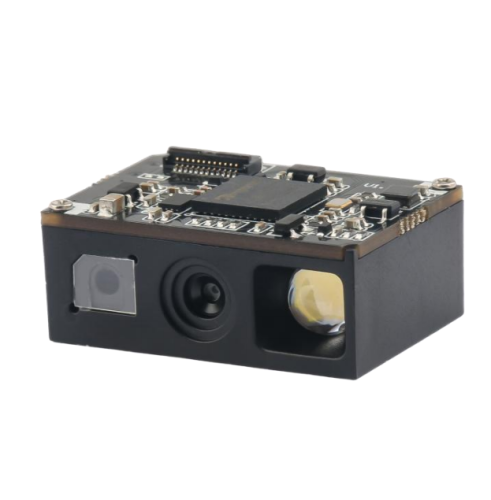
Barcode scanners have become essential tools for many businesses, from retail stores to warehouses to hospitals. They allow for quick and efficient data capture, saving time and increasing accuracy. However, with so many types of barcode scanners available on the market, it can be overwhelming to decide which one is the best fit for your business needs. Here are some factors to consider when choosing a barcode scanner:
First and foremost, consider the type of barcode you will be scanning. There are two main types: 1D and 2D. 1D barcodes, also known as linear barcodes, are the traditional barcodes that consist of a series of vertical lines of varying widths. 2D barcodes, on the other hand, are square or rectangular patterns that encode information both horizontally and vertically.
If you only need to scan basic product information, a 1D scanner may suffice. However, if you require more complex information, such as web links or images, a 2D scanner is necessary.
Another important factor to consider is the scan distance. How far away will the scanner be from the barcode? Will you be scanning barcodes from a distance, such as from across a room, or up close? Make sure to choose a scanner with a scan range appropriate for your business needs.
There are several types of barcode scanners, each with its own advantages and disadvantages:
Handheld: Handheld scanners are the most common type of scanner. They are portable and can be used for a variety of applications, from scanning products at a retail store to tracking inventory in a warehouse.
Fixed mount: Fixed mount scanners are permanently mounted in one location, such as on a conveyor belt or assembly line. They are ideal for high-volume scanning applications.
Presentation: Presentation scanners are designed for hands-free scanning, such as at a checkout counter. They are usually fixed in one location and can quickly scan items as they are passed in front of the scanner.
Consider how the scanner will connect to your system. Will it be wired or wireless? If wireless, what type of connection will it use (Bluetooth, Wi-Fi, etc.)? Make sure to choose a scanner that is compatible with your existing systems and can easily connect to them.
Finally, consider the durability of the scanner. Will it be used in a rugged environment, such as a warehouse or manufacturing plant, or in a more gentle setting, such as a retail store? Choose a scanner that can withstand the wear and tear of your business environment.
In conclusion, choosing the right barcode scanner for your business requires careful consideration of several factors, including barcode type, scan distance, scanner type, connectivity, and durability. By taking these factors into account, you can select a scanner that meets your business needs and improves efficiency and accuracy.
 Retail Checkout Counter Layout: A Practical Equipment and Workflow Guide
 Direct Thermal vs Thermal Transfer Printing: Which Should You Choose?
 Android POS vs Windows POS Terminals: Which Platform Fits Your Retail System?
 POS Terminal Ports Explained: USB, COM, LAN, HDMI and Cash Drawer