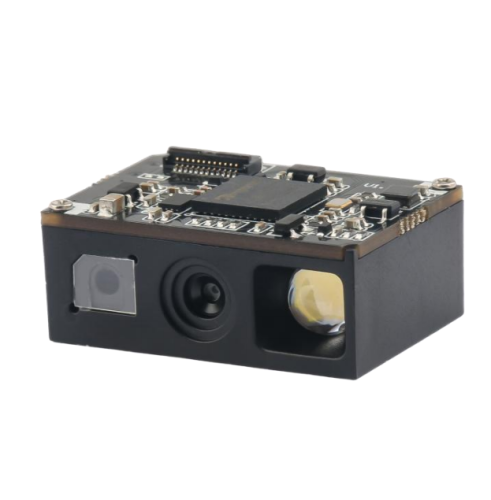
The barcode scanning module is a part of the automatic identification field, with a primary function of incorporating barcode scanning technology. It is utilized in terminal applications, such as scanners, self-service terminals, access control gates, and high-speed toll stations, for secondary development purposes.
The scanning module is the central component of barcode recognition in various smart terminals. It features independent barcode recognition and collection capabilities and supports the recognition of 2D barcodes on paper, electronic screens, labels, etc. For instance, health code collection devices can rapidly decode and verify. The self-service vending machine's scanning window can scan different barcodes and mobile phone screen codes, and subway entrances and exits can identify both mobile phone screen codes and electronic chips. These functionalities are made possible through the integration of embedded barcode scanning modules.
The barcode scanning module is revolutionizing and modernizing various industries through the integration of intelligent automation. In the era of advanced equipment and the digital age, the identification and transmission of data information is crucial. As barcode scanning is a cornerstone of the Internet of Things industry's growth and development, the repeated scanning of codes in various industries drives the widespread application of scanning codes. The use of embedded barcode modules enhances management efficiency and competitiveness in the market.
Consider the following factors when choosing an embedded barcode scanning module:
1. Determine whether a fixed or embedded scanning module is equired based on the size of the machine's reserved space and the scanning environment.
2. Take into account the main scanning medium, whether it is barcodes on paper or barcode information on electronic screens such as mobile phones.
3. Check the language support of the secondary development kit in Windows/Android/Linux development environments.
4. Evaluate any special requirements for the application, such as scanning distance, depth of field, reading speed, output interface, secondary development support, and price.
5. Focus on the manufacturer's reputation, product quality, brand power, innovation ability, and after-sales service, instead of solely considering the brand name. Choosing the right barcode scanning module can save time in development and deployment, and may require communication and technical support with the manufacturer.
 Retail Checkout Counter Layout: A Practical Equipment and Workflow Guide
 Direct Thermal vs Thermal Transfer Printing: Which Should You Choose?
 Android POS vs Windows POS Terminals: Which Platform Fits Your Retail System?
 POS Terminal Ports Explained: USB, COM, LAN, HDMI and Cash Drawer